
Google Business Profile Suspended? How to Get It Back (2027)
 By Ugene Gumus
Nov 24, 2026
5 min read

Quick answer: If your Google Business Profile is suspended, first find the reason in Google’s email or your dashboard, then fix the problem on the profile, and only then submit an appeal through Google’s appeals tool. Add proof such as a business registration, licence or utility bill within 60 minutes. Google says it resolves most appeals within 3 to 5 days.
Key takeaways
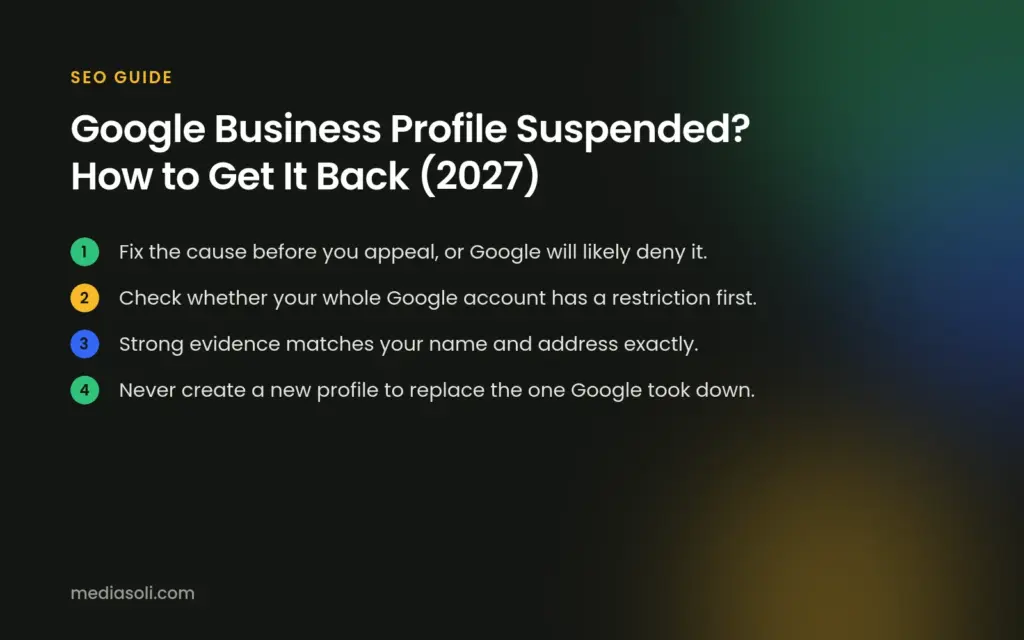
- Fix the cause before you appeal, or Google will likely deny it.
- Check whether your whole Google account has a restriction first.
- Strong evidence matches your name and address exactly.
- Never create a new profile to replace the one Google took down.
- Do not send duplicate appeals, because Google says they slow everything down.
Few things scare a local business owner more than an email saying Google suspended their profile. Calls drop, the map listing may vanish, and reviews you spent years earning seem to disappear. Take a breath, though. A suspended Google Business Profile can usually come back if you follow the right steps in the right order.
Why your Google Business Profile got suspended
Google may suspend or disable profiles that break its guidelines. From early 2024 onward, the notice email usually names the reason and links to the policy. Even so, the most common triggers are the same few mistakes.
- Keywords in the name: “Joe’s Plumbing Kitchener Best Plumber” instead of your real name.
- An address you cannot use: a P.O. Box, a virtual office or a mailbox store.
- A move or rebrand: big edits to the name, address or category all at once.
- A hidden address problem: a service-area business that shows a home address.
- An ineligible business: for example, an online-only shop with no in-person contact.
- Linked accounts: a violation on another profile or Google product in the same account.
Google Business Profile suspended: soft vs hard
Not every suspension looks the same. With a soft suspension, you see a “suspended” label in your dashboard, yet the listing still shows on Google. In contrast, a hard suspension removes the listing from Search and Maps entirely. Also, if Google restricts your whole account, every profile in it goes down at once.
How to fix a Google Business Profile suspended by Google
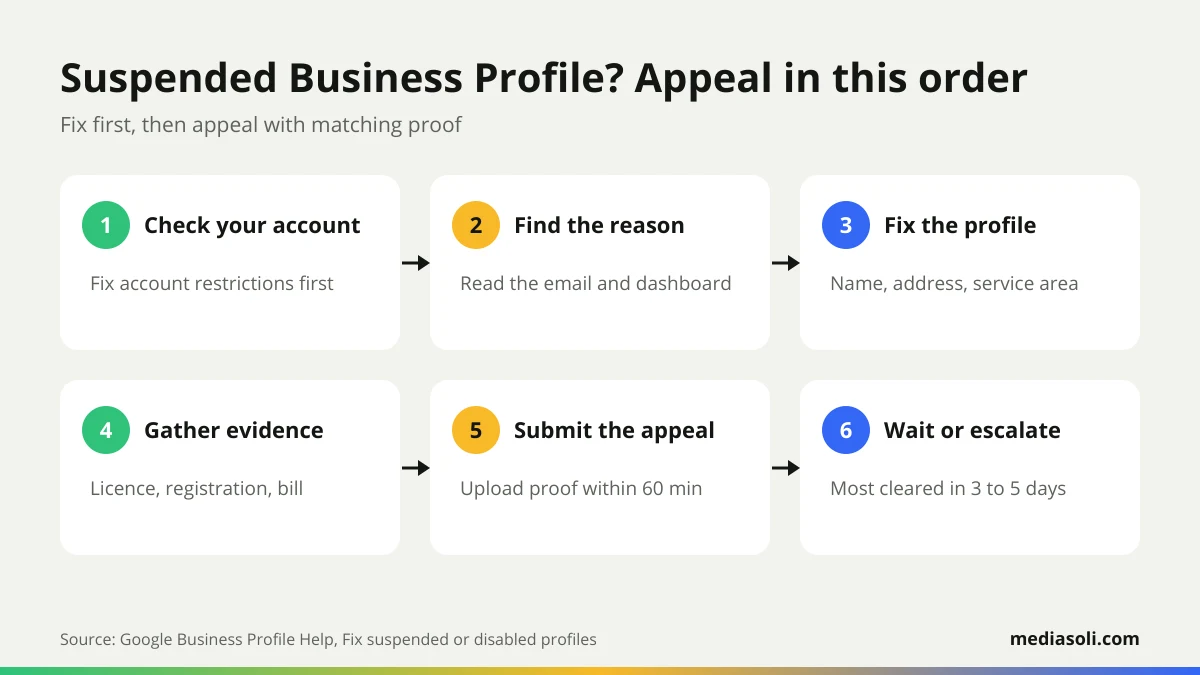
Step 1: Check your Google account
Start with your Google account, not the profile. If the account itself has a restriction, you must get it reinstated first. Otherwise, any profile appeal will fail.
Step 2: Find the exact reason
Open the suspension email and your Business Profile dashboard. Then note the policy Google lists. That detail tells you what to fix, so read the linked policy page carefully.
Step 3: Fix the problem on the profile
Remove keywords from the name, correct the address, or hide your home address if you serve customers at their location. In short, make the profile follow the rules before anyone at Google looks at it.
Step 4: Gather your evidence
Good evidence shows the same name and address as your profile. For example, use a business registration, a business licence, a tax certificate or a utility bill. Photos of permanent signage and your storefront also help.
Step 5: Submit the appeal
Go to the appeals tool in Google Business Profile Help, select the suspended profile and submit your appeal. Be ready, because you must upload your evidence within 60 minutes of starting the appeal.
Step 6: Wait, then escalate if needed
Google says it clears up most requests within 3 to 5 days. However, real-world waits sometimes stretch to weeks during busy periods. If Google denies your appeal, you can request an additional review through the contact form in the help centre.
Mistakes that keep a Google Business Profile suspended
- Never create a new profile while the old one is under review, because Google treats that as a duplicate.
- Avoid sending the same appeal again and again, which Google says causes further delays.
- Do not upload evidence that shows a different name or address than your profile.
- Stop making other edits during the review, so nothing new triggers a check.
How to prevent another suspension
Once your profile is back, protect it. Use your real business name everywhere, keep your address consistent, and make big changes one at a time. Also, log in regularly, because Google may remove access from profiles that sit unused for a long time.
It also helps to keep your website in sync with your profile. Add the same name, address and phone number in your footer, then add structured data with our local business schema generator. For a full setup walkthrough, read how to get your business listed on Maps and our Business Profile checklist.
Frequently asked questions
How long does a Google Business Profile suspended appeal take?
Google says it resolves most appeals within 3 to 5 days. In practice, some owners wait several weeks, especially when Google has a backlog of requests.
Will I lose my reviews if my Google Business Profile was suspended?
Usually not. When Google reinstates a profile, the reviews normally come back with it. That is one big reason to appeal rather than start a new profile.
Can I call Google about a suspended Google Business Profile?
Google handles suspensions through the appeals tool, not by phone. Still, Google Business Profile Help and the community forum can point you in the right direction.
Should I pay someone to fix my suspension?
Many owners fix it themselves by following the steps above. However, if your appeal fails twice or the case is complex, a local SEO specialist can review the profile and prepare a stronger appeal.
Need a hand getting back on the map?
Mediasoli helps businesses in Waterloo, Kitchener and Cambridge fix and protect their Google Business Profiles. Start a project and we will review what went wrong and how to prevent it next time.
Sources

Ugene builds websites and helps businesses get found on Google and in AI answers. He has worked with 30+ brands in Canada, from local shops to the Ontario Government.
Connect on LinkedInKeep reading

Best SEO Agencies in Kitchener-Waterloo (2027 Guide)
Compare the best SEO agencies in Kitchener-Waterloo for 2027: what each one does best, what SEO costs in Waterloo Region and how…
How to Add Your Business to Google Maps (2027 Step-by-Step Guide)
Learn how to add a business to Google Maps for free in 2027: set up a Google Business Profile, pass video verification…

How Much Does SEO Cost in Canada? (2027 Pricing Guide)
What is the real SEO cost in Canada? See 2027 monthly retainer ranges, project and hourly pricing, what drives the price, and…
Have a project in mind?
Tell us where you want to be found, and we will map the way there.